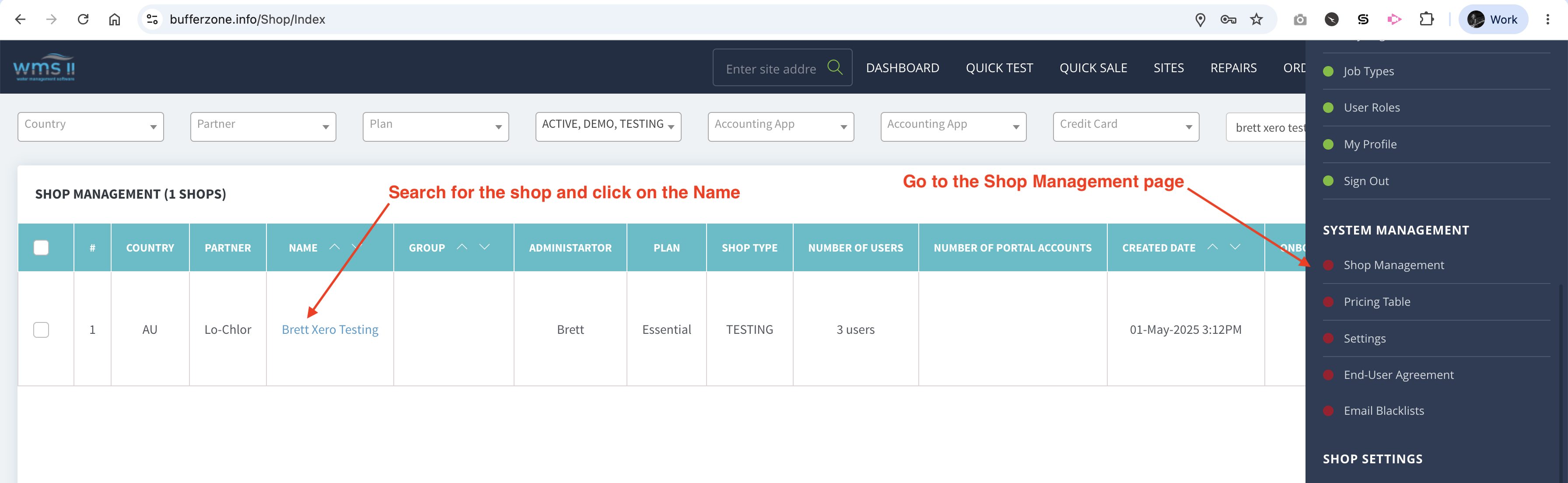
Logged in as a System Administrator, go to the EDIT SHOP page (accessed via the Shop Management link)
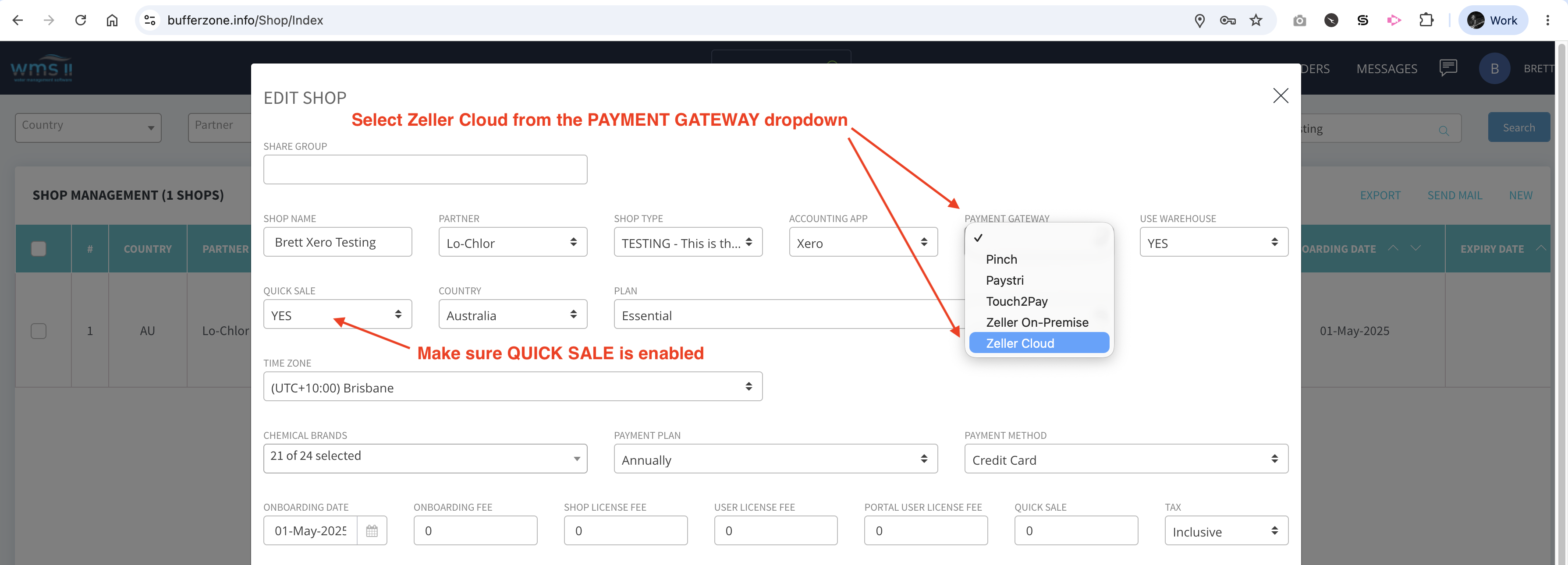
Select Zeller Cloud from the PAYMENT GATEWAY dropdown (make sure QUICK SALE is enabled) and SAVE
Make sure your POS device is connected to your computer.
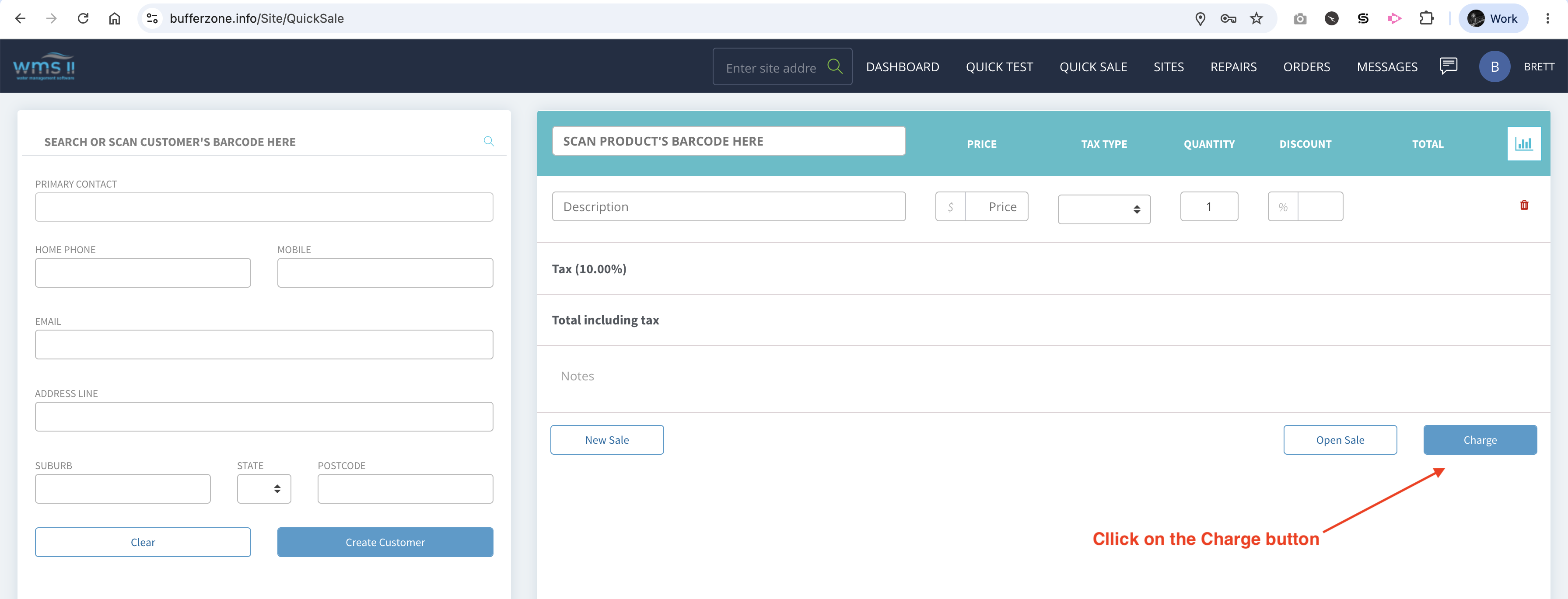
Go to the Quicksale page (link in top navigation bar) and click on the CHARGE button
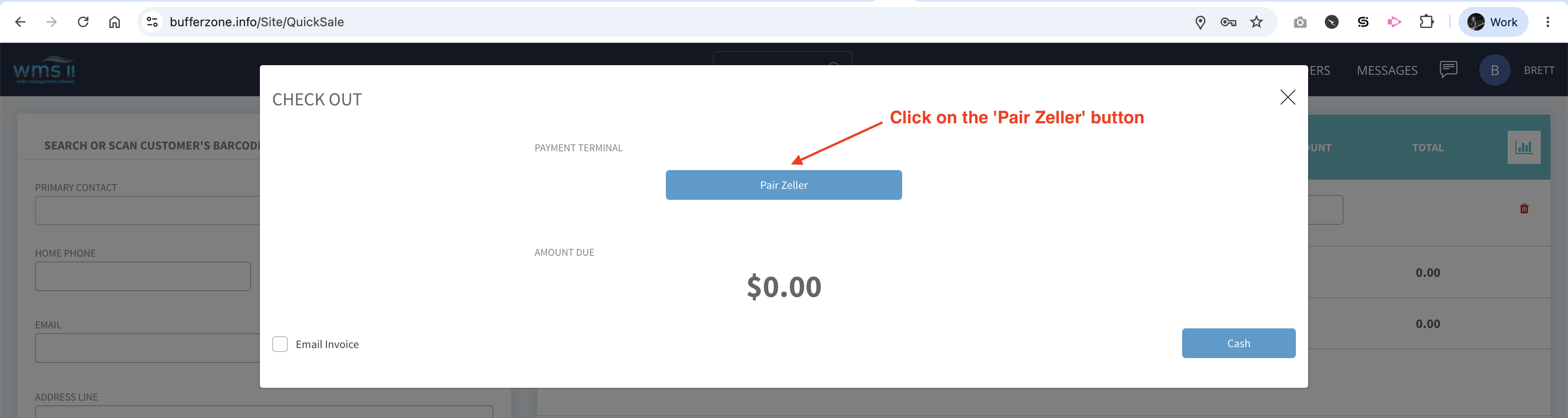
Click on the Pair Zeller button
You’ll need the pairing code from the device
Follow steps 1 to 7 in Zeller’s documentation: https://www.myzeller.com/au/support/link-my-zeller-terminal-to-a-cloud-pos-platform
On step 8. Enter the credentials from step 7 and pairing code on Step 8 to this:
.png?cb=494e6b8e6a4dab6151b395badce8fd10)
Click on Pair.