
If you decide that you need to change which site or structure a job is being done at, you can do this easily from the Job Detail page.
Select a Job
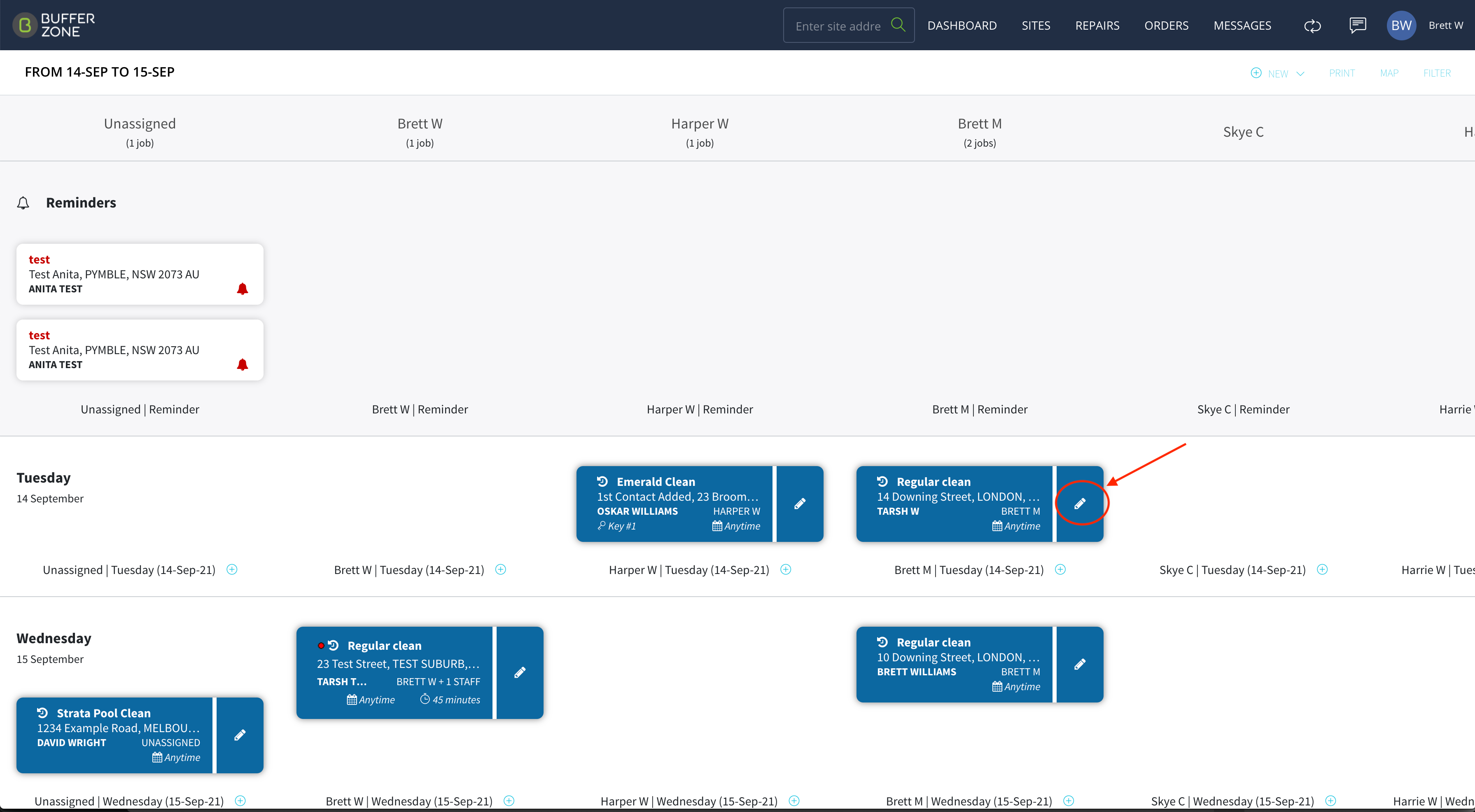
Go to the Dashboard and select a job that you want to reassign the address or structure for. Click on the pencil icon to edit the job.
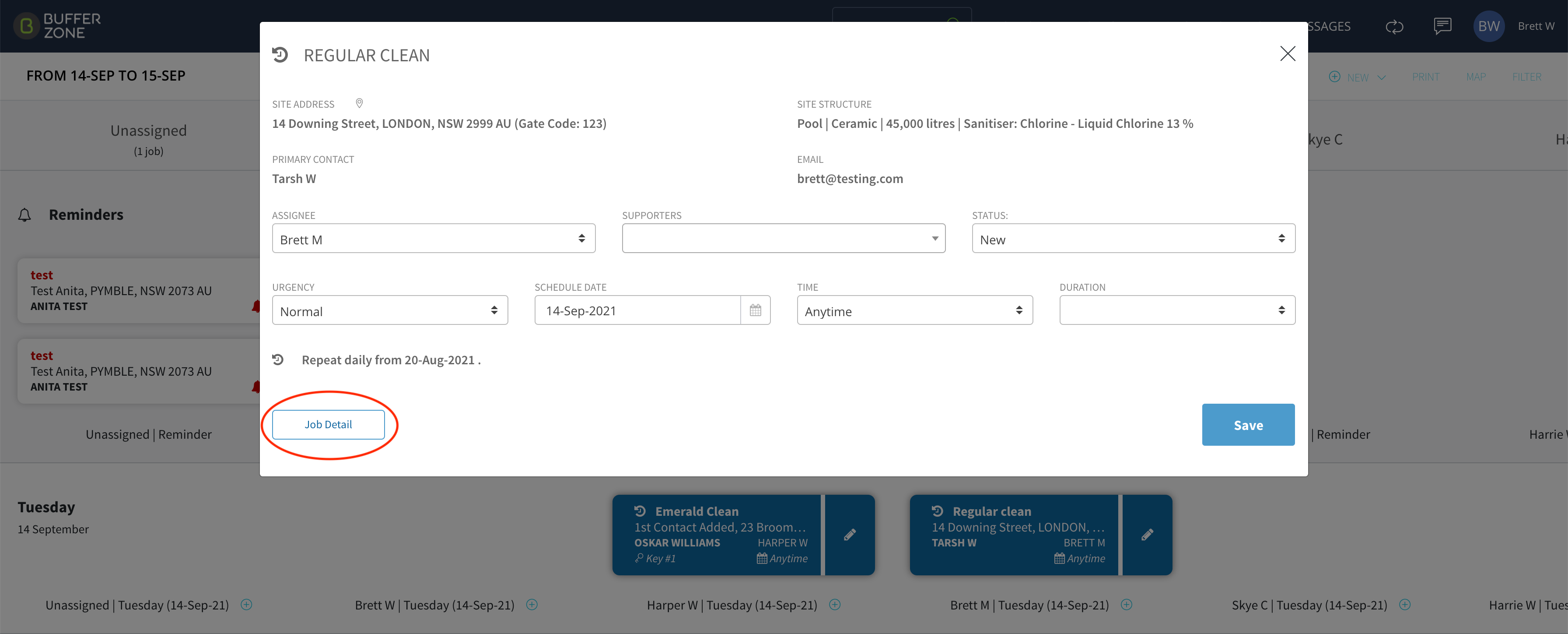
This will open the Job modal from where you can navigate to the Job Detail page
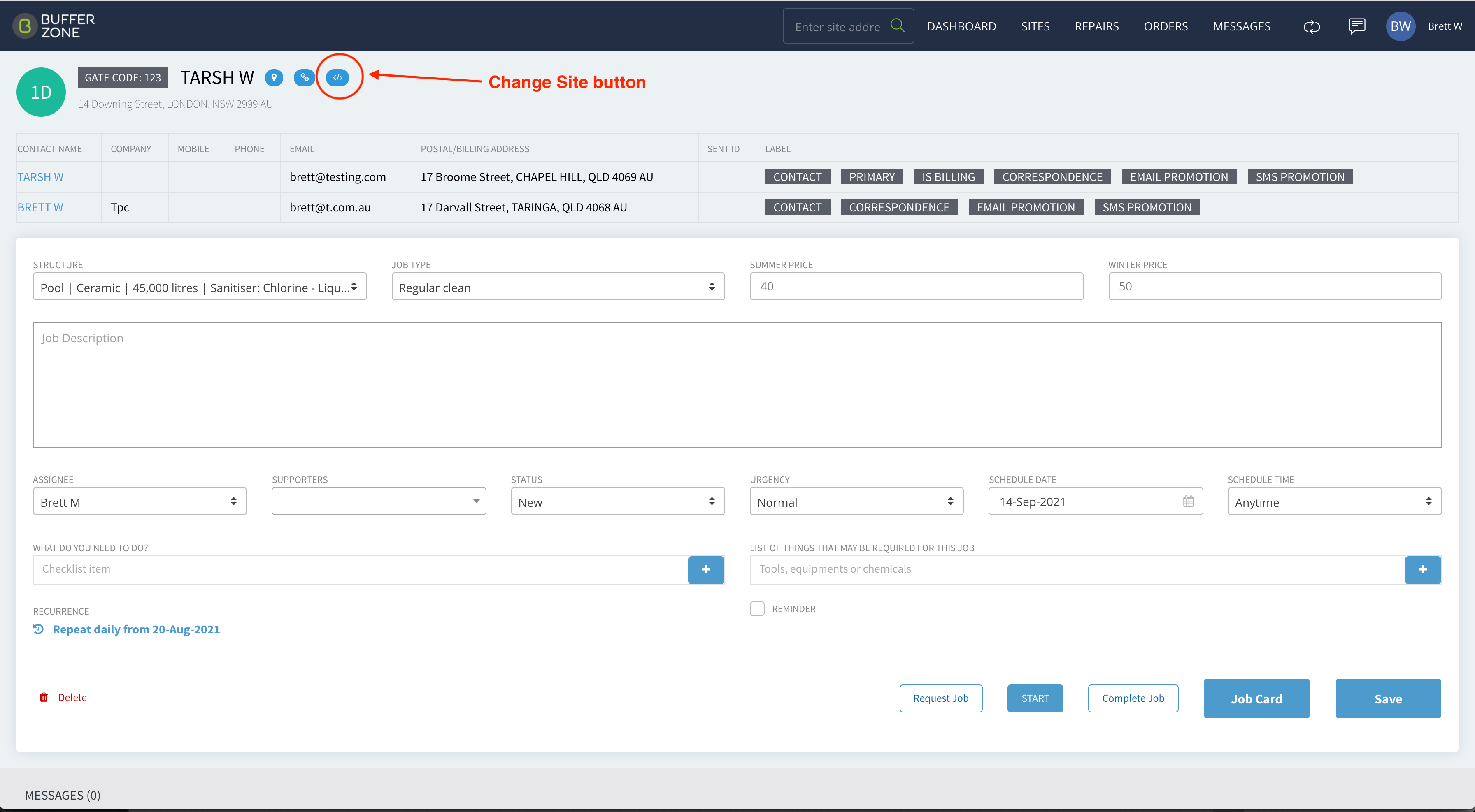
Once on the Job Detail page, click on the Change Site button
This will open a modal where you can search for, and change the Site, or the Structure, which the Job is assigned to
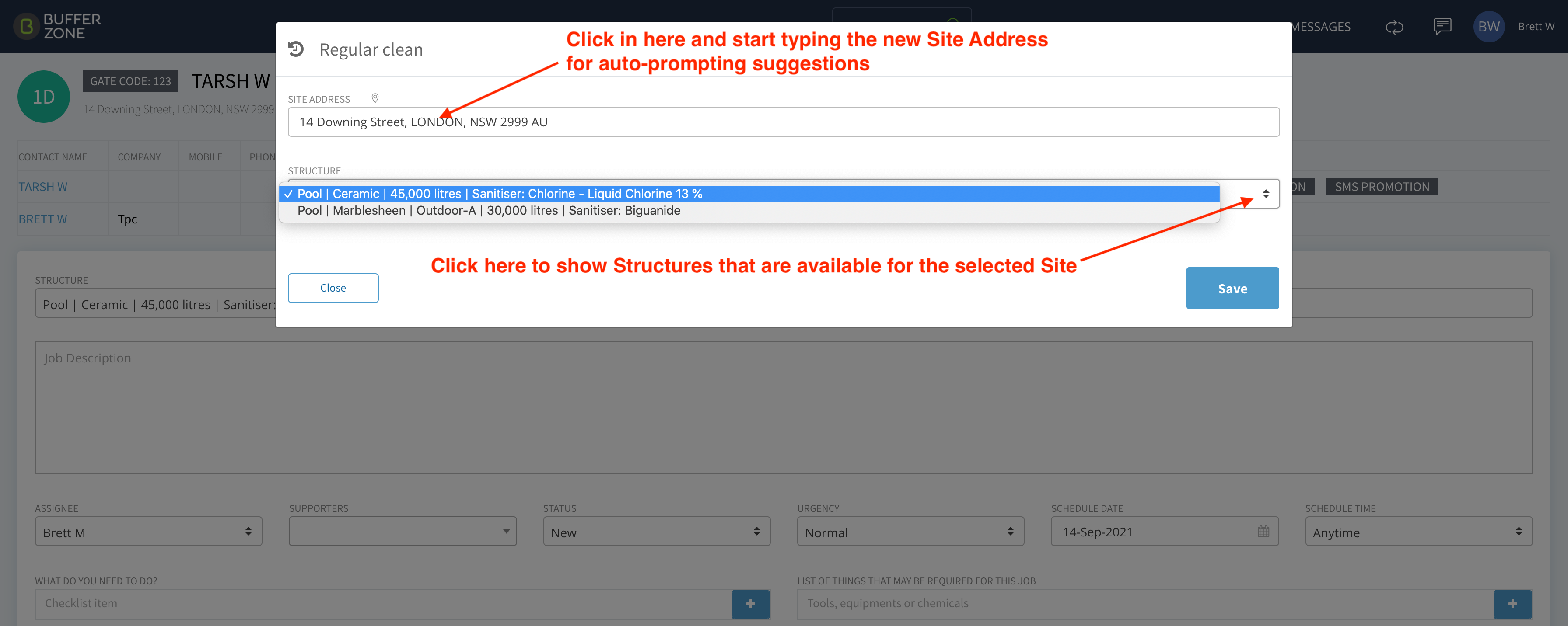
Click in the Site Address area and start typing an address for the system to auto-prompt with matching Site addresses in the system.
Click on the Structure arrows to see what structures are available for the chosen Site address
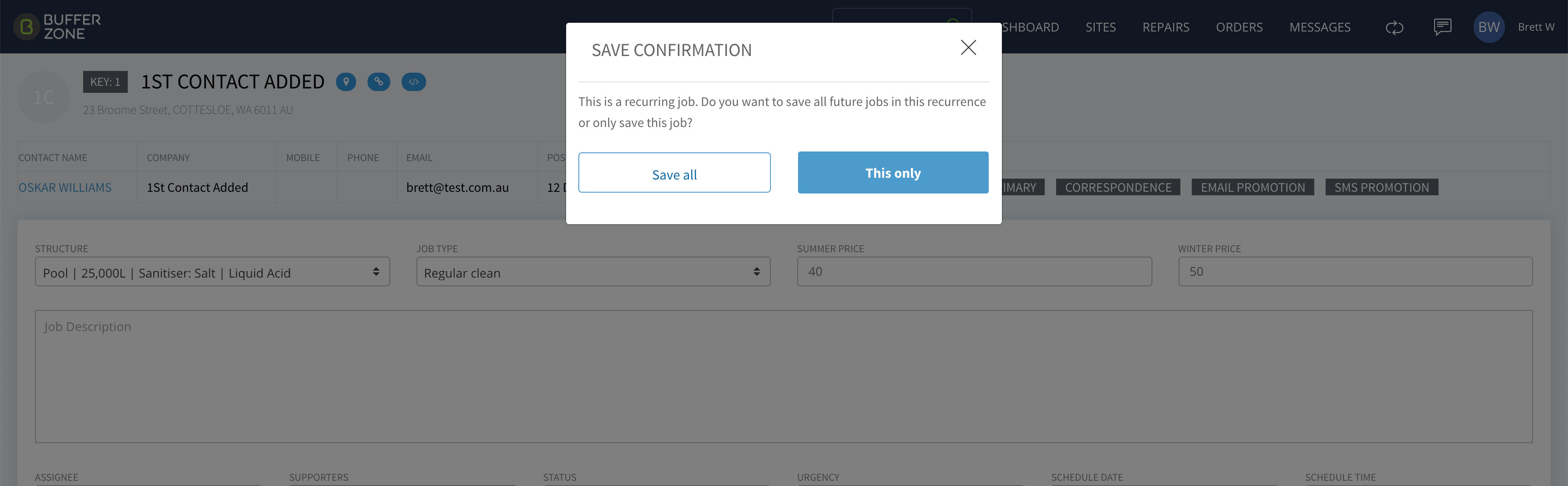
Click Save and if it is a Recurring job, choose whether the change will be for this job only or for all recurrences.