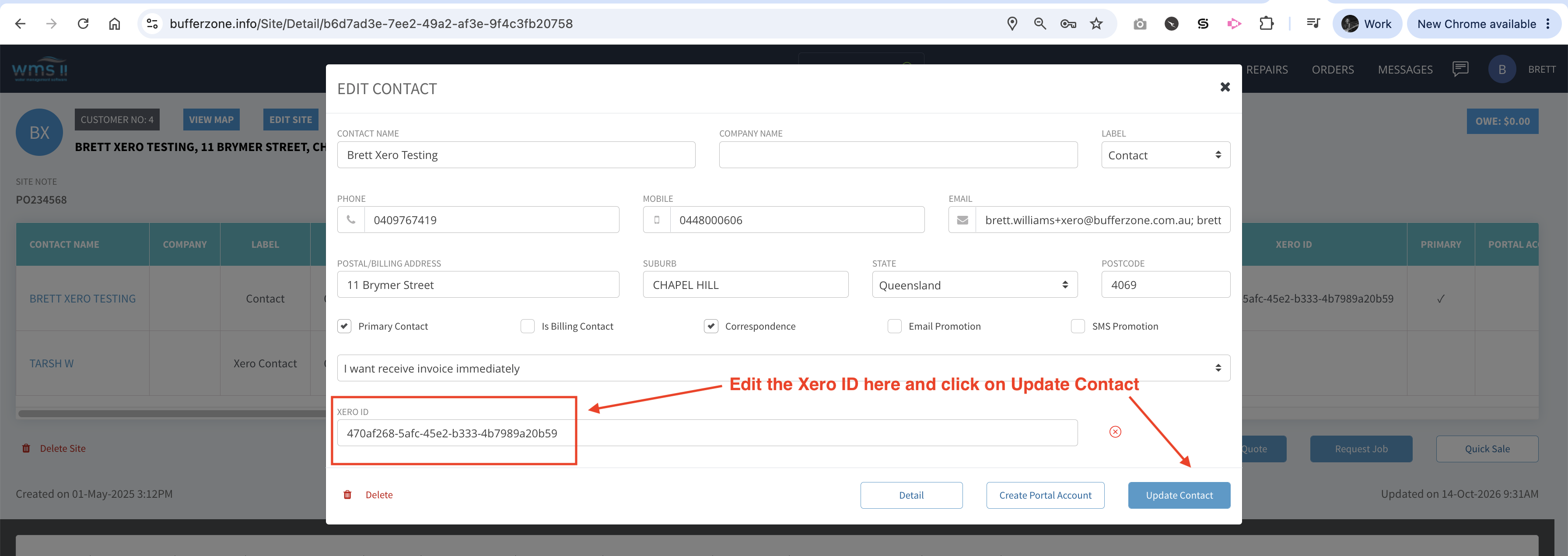

Sometimes Xero ID’s become mismatched between Xero and Bufferzone. This can be caused by things like changes in Xero login details, a temporary disconnect between Xero and Bufferzone etc
When there is a mismatch, job cards can amongst other things:
-
Create a duplicate contact in Xero with a (1) or (2) etc after the name, which can then in turn lead to a duplicate contact being created in Bufferzone
-
Cause job cards to get stuck in a Xero - Sending or Xero - Failed status when checked on the Job Card Report Page in Bufferzone
To make sure the ID’s are matched properly, follow these steps.
To verify whether the Xero ID in Xero matches the Xero ID assigned to a contact in Bufferzone, follow these steps:
Step 1: Find the Contact ID in Xero
-
Log into your Xero account.
-
Go to Contacts > All Contacts (or Customers).
-
Search for and click on the customer’s contact record to open it.
-
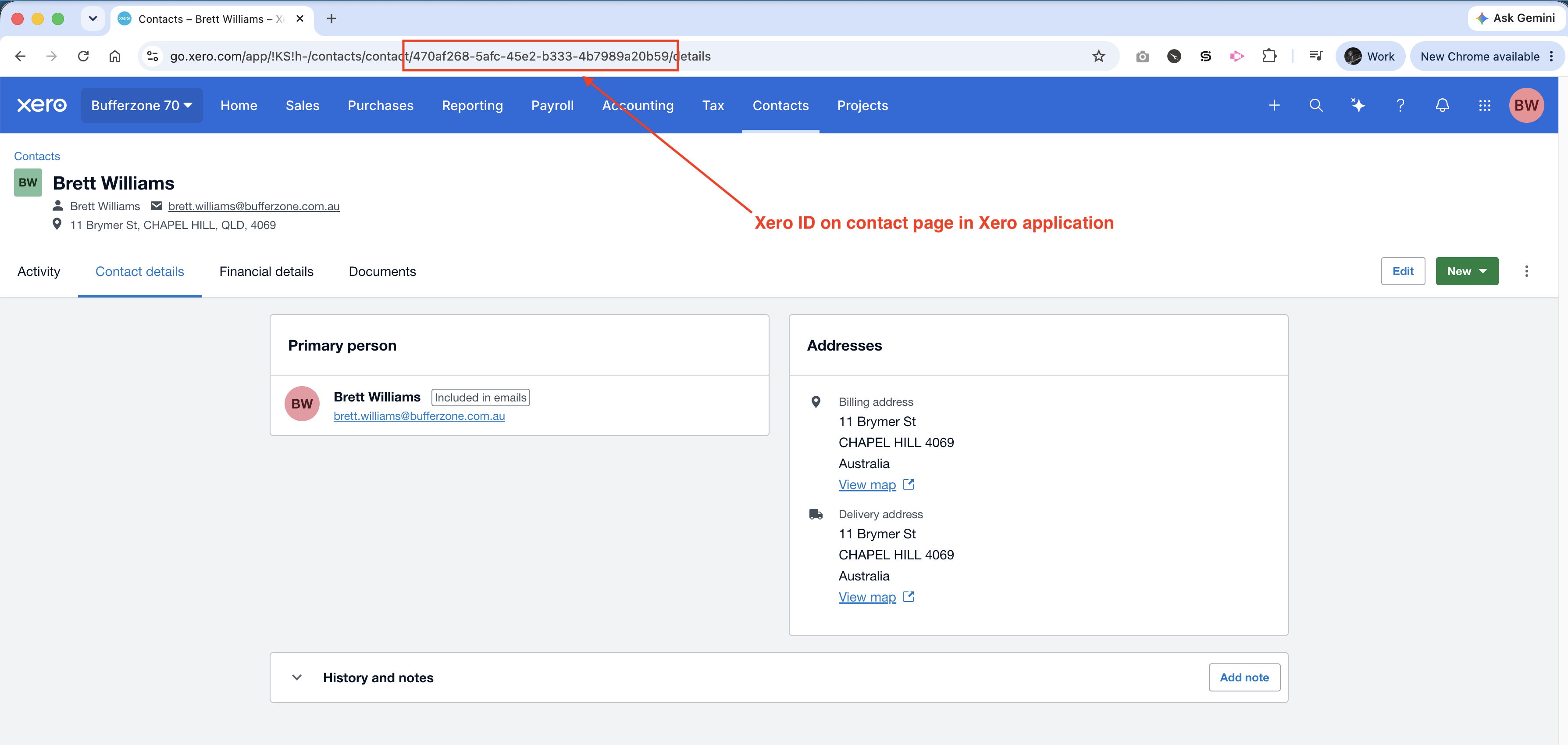
Look at your browser’s address bar (URL).
-
The Xero Contact ID is the alphanumeric GUID string at the very end of the URL:
-
https://go.xero.com/Contacts/View/xxxxxxxx-xxxx-xxxx-xxxx-xxxxxxxxxxxx
-
Copy or note down that GUID string.
Step 2: Find the Xero ID in Bufferzone
-
Open Bufferzone.
-
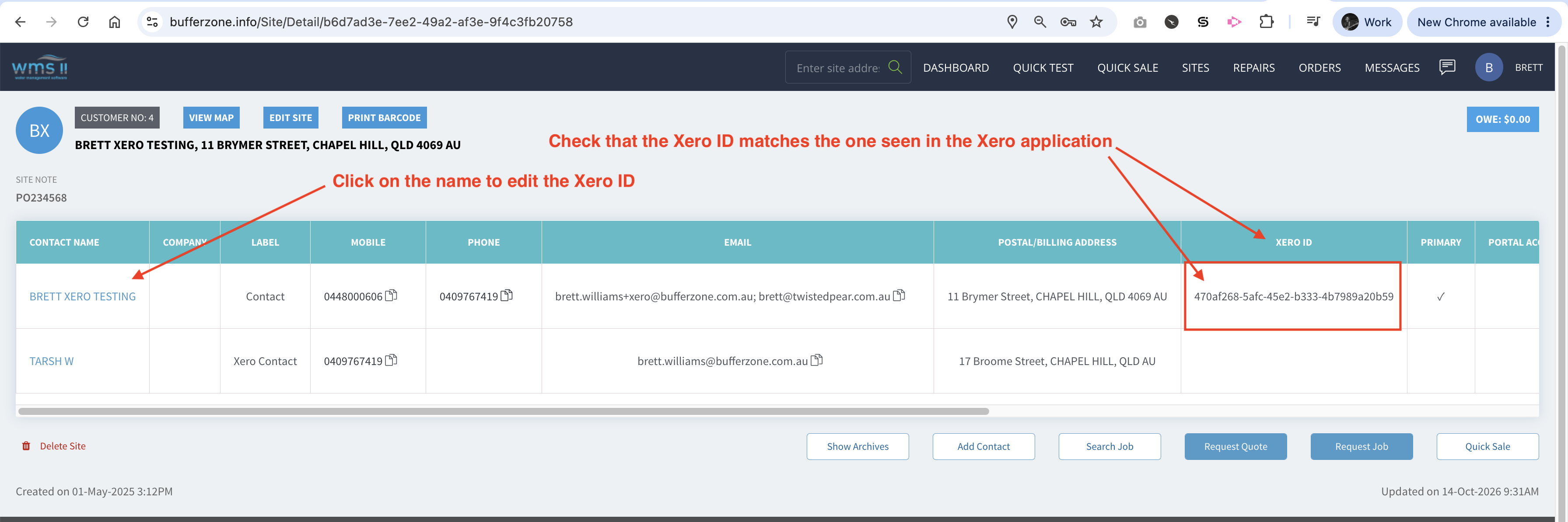
Navigate to the relevant Site or open the Contact Record (click the contact’s name to view their Contact Details).
-
Look for the Xero ID field on the contact record (note: this field is visible when the shop has an active Xero integration).
Step 3: Compare the Two IDs and update if necessary
-
Match: If the GUID string displayed in the Bufferzone Xero ID field exactly matches the GUID from the Xero contact URL, the contact is correctly linked.
-
Blank Xero ID: If the contact in Bufferzone has no Xero ID, Bufferzone does not currently link them to an existing Xero contact. Sending a job card/invoice from Bufferzone will cause it to attempt to create a new contact in Xero.
-
Mismatched ID: If the IDs do not match (e.g. if the contact was recreated, replaced, or synced from an expired trial/different organization), Bufferzone may fail to push invoices or create duplicate contacts in Xero (often appended with a suffix like (1)).