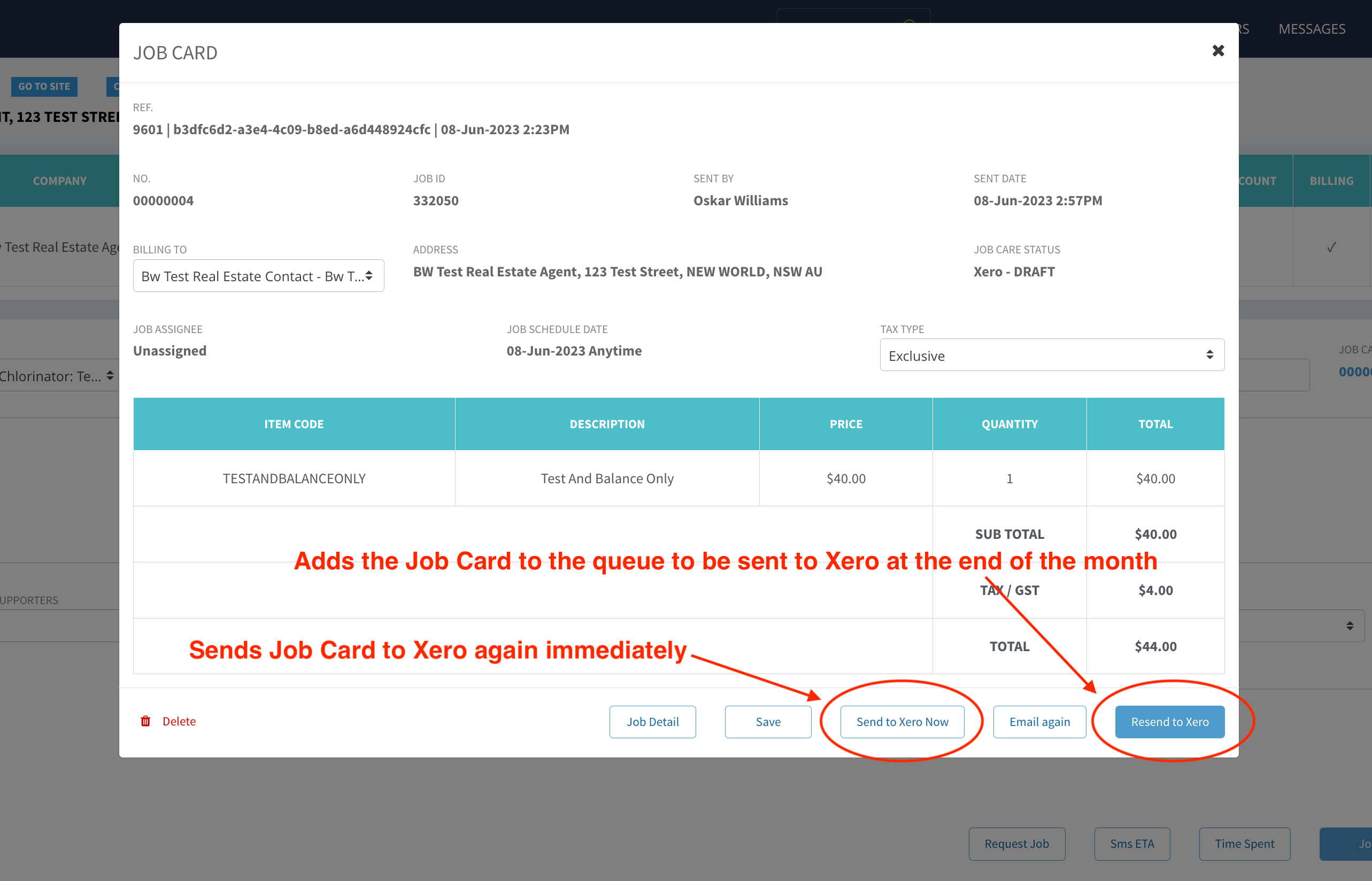

There are 2 new buttons that appear on Job Cards after the Send and Complete button has been clicked.
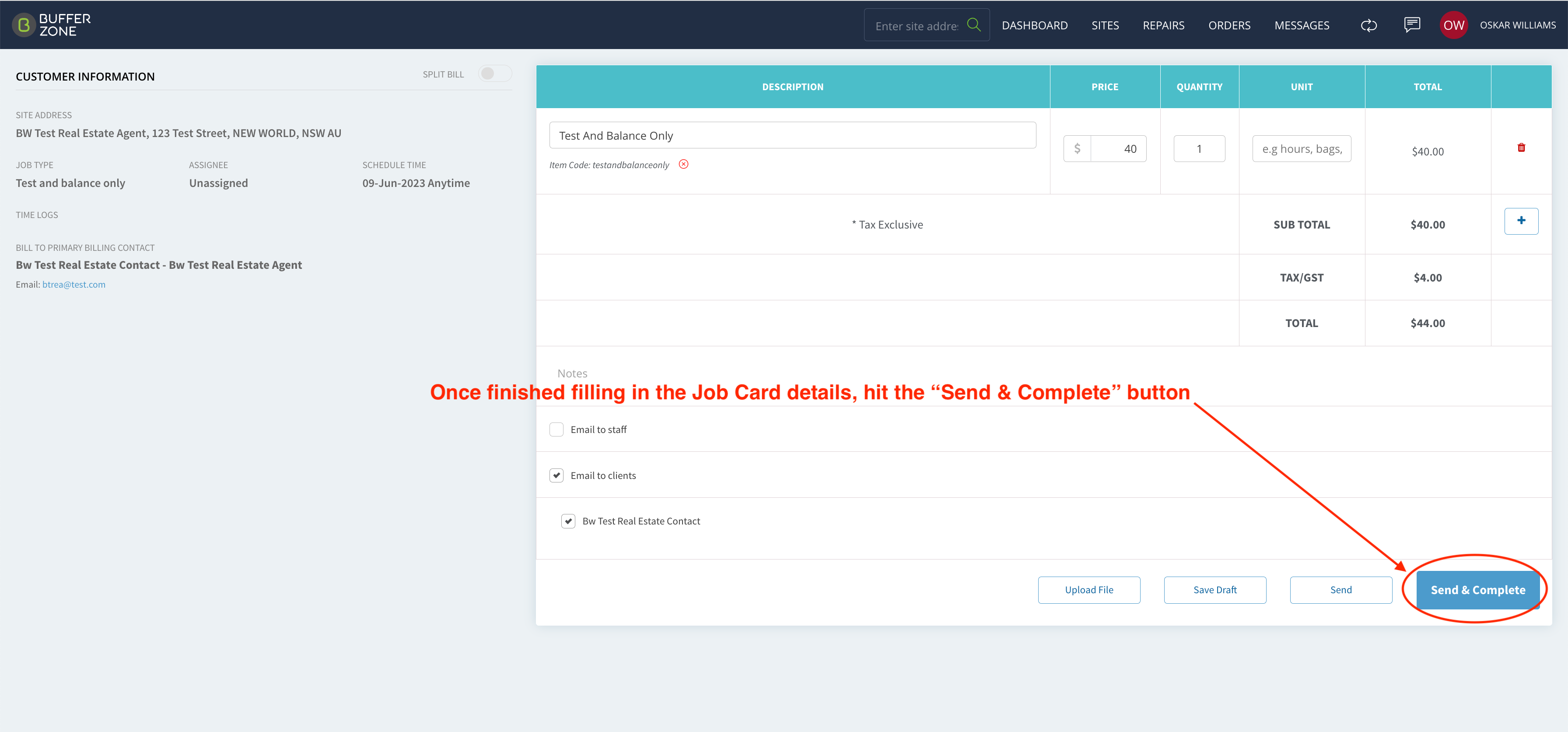
Step 1. Fill out the Job Card and hit Send and Complete
Step 2. Open the Job Card again and 2 new options are available - “Send to Xero Now” and “Resend to Xero”
Send to Xero Now - sends the Job Card to Xero again immediately.
Resend to Xero - adds the Job Card to the queue that will be sent at the end of the month.