

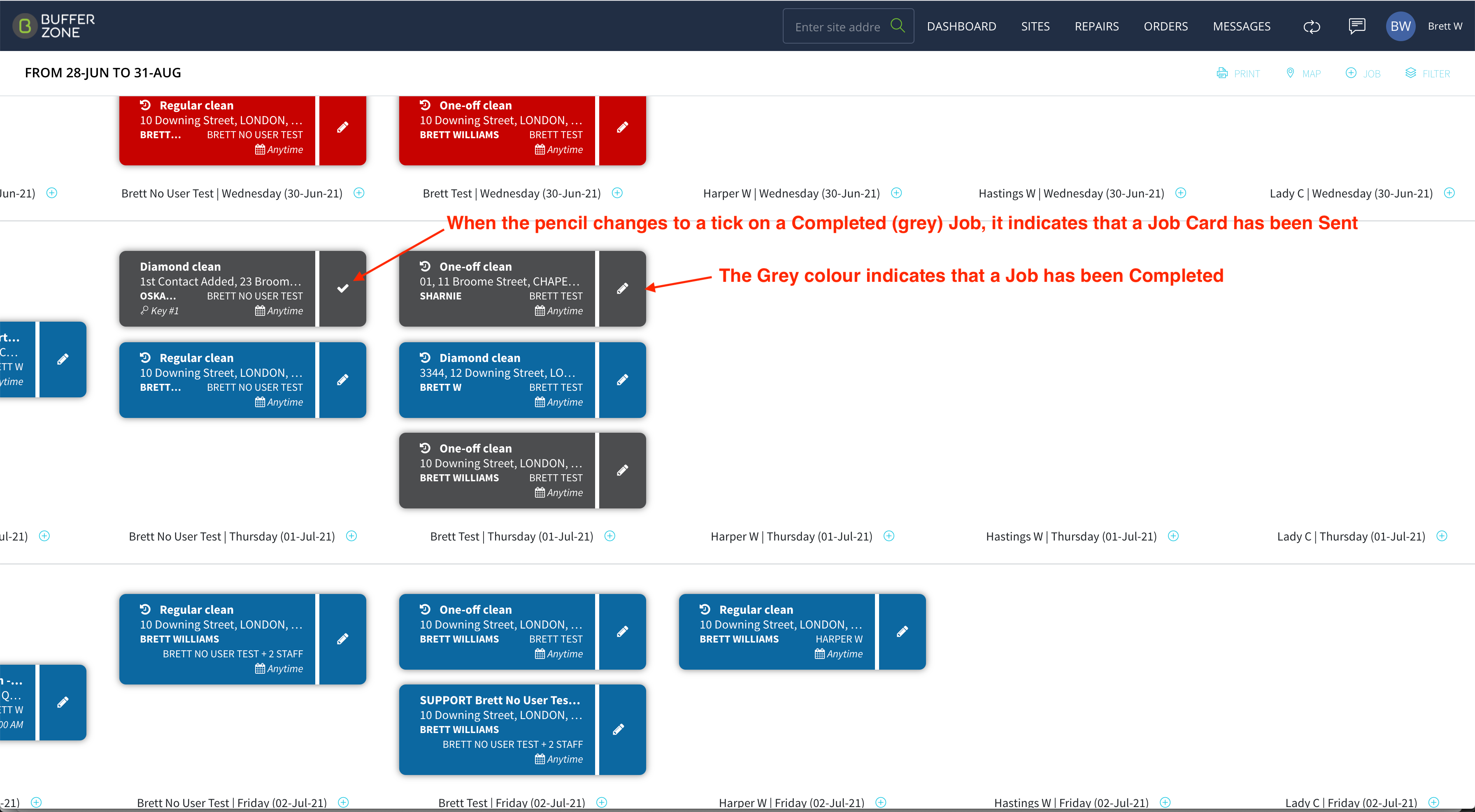
Completed Jobs show as a dark grey tile on the Dashboard.
If the Pencil icon has changed to a Tick, it indicates that the Job Card for this job has been Sent*
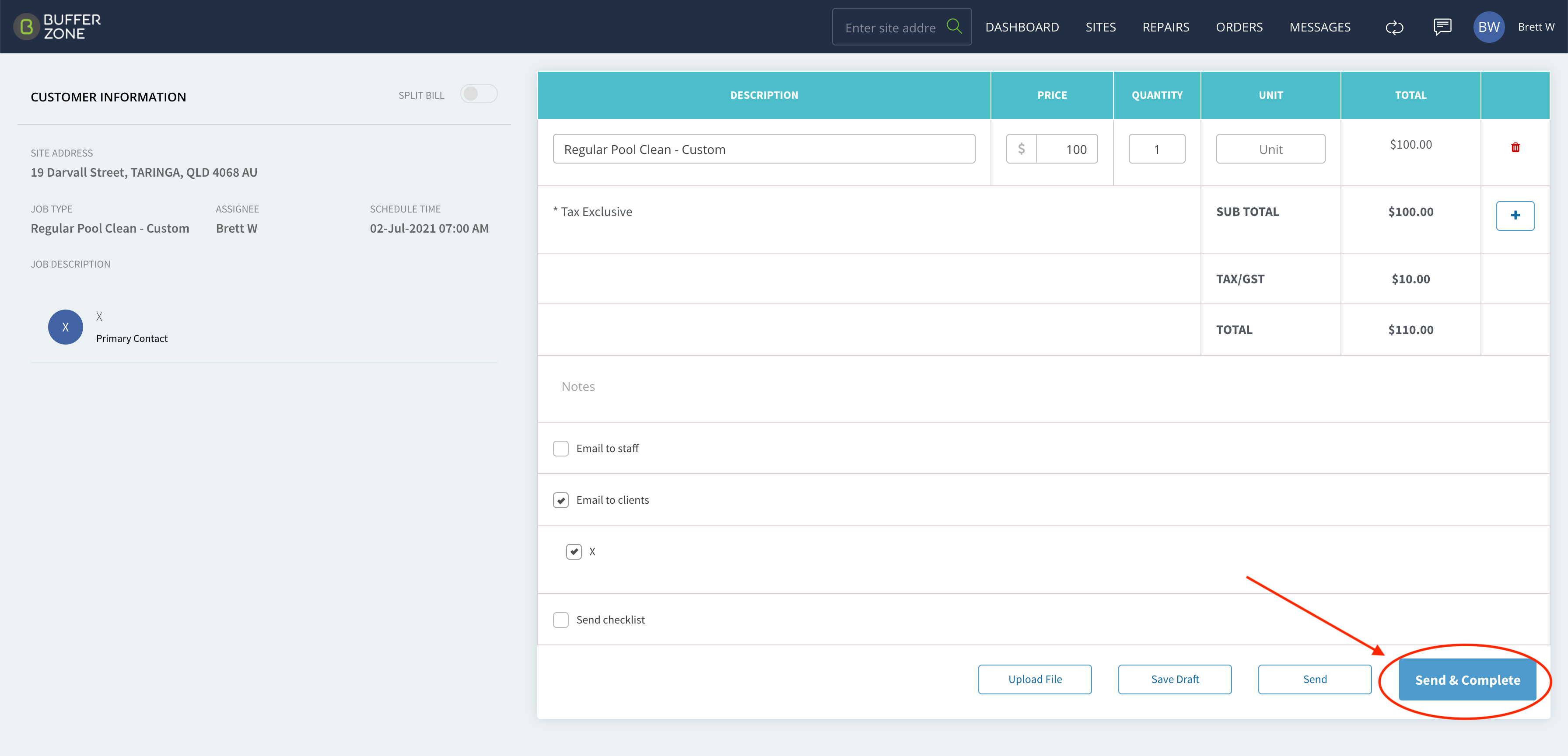
This is done on the Job Card page by clicking the Send and Complete button:
*Please note that there is about a 6 minute lag between Sending and Completing a Job Card and the icon changing from a pencil to a tick.